Resize Images Online
The fastest way to resize your images online. Fast, free, and 100% secure. Your files never leave your browser.
Select a file
or drag and drop
PNG, JPG, WEBP up to 49MB
How to Resize Images
Resize your photos in seconds with our simple tool.
1. Upload Image
Upload your JPG, PNG, or WebP file.
2. Choose Dimensions
Set your custom width and height.
3. Download
Get your resized image instantly.
Why Choose Our Image Resizer?
Lightning Fast
Resize images instantly without uploading them to a server.
100% Secure
Your photos never leave your device. Privacy guaranteed.
High Quality
Advanced algorithms ensure your images stay sharp.
All Formats
Supports JPG, PNG, WebP, and many more.
Free Forever
No limits, no watermarks, no hidden fees.
Mobile Friendly
Works perfectly on phones, tablets, and desktops.
The Ultimate Online Image Resizer: Fast, Free, and Private
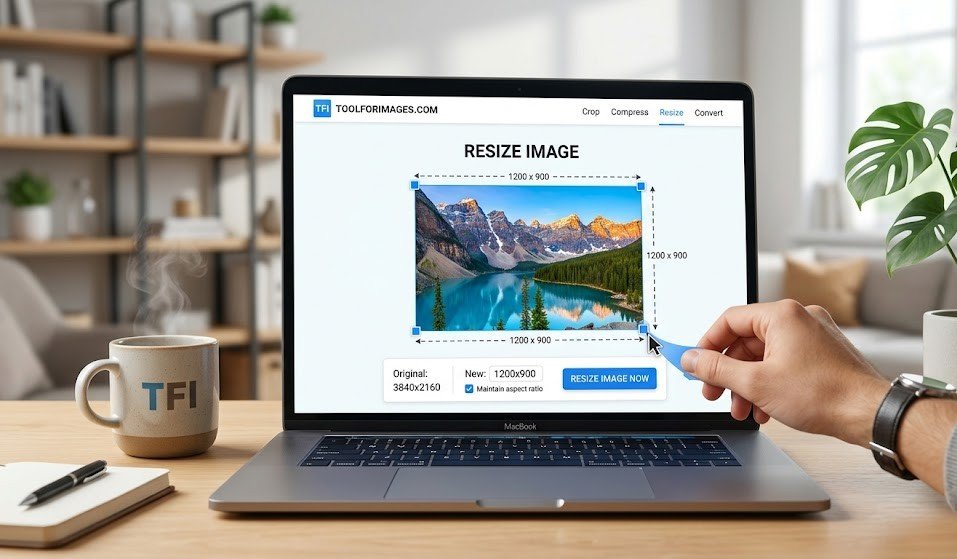
Welcome to the most secure and efficient way to resize your photos online. Whether you are a professional photographer needing to batch process high-resolution images, a web developer optimizing assets for faster page load times, or just someone looking to make a picture fit perfectly as a social media profile picture, our tool is built for you.
Understanding Image Resizing: Beyond Basic Cropping
Image resizing is the fundamental process of altering the exact pixel dimensions (width and height) of a digital photograph or graphic. Unlike cropping—which permanently deletes outer sections of an image to focus on a central subject—resizing scales the entire image ecosystem up or down.
When you downscale (reduce the size), the software intelligently averages pixels together, creating a smaller file that retains the visual fidelity of the original. This is critical for modern web design because smaller images consume less bandwidth.
Top 5 Reasons You Need to Resize Your Images
- Accelerated Website Performance (SEO): Search engines like Google prioritize fast-loading websites. By resizing a 5MB original photo down to a 150KB web-optimized dimension, you drastically improve your page speed score.
- Social Media Compliance: Every platform (Instagram, Facebook, X, LinkedIn) has strict sizing requirements. Resizing ensures your avatar or banner doesn't look stretched, blurry, or pixelated.
- Emailing Attachments: Most email clients block attachments larger than 25MB. Resizing allows you to send dozens of photos in a single email without hitting server limits.
- Device Storage Management: High-resolution smartphone cameras take massive photos. Resizing them frees up gigabytes of precious cloud and local storage space.
- E-commerce Optimization: Online stores require uniform product images to maintain a clean, professional aesthetic across catalogs.
The Technical Advantage: Client-Side Processing for Ultimate Privacy
The biggest differentiator of our platform is our strict adherence to user privacy through Client-Side Processing. Traditional online image editors require you to click "upload," which physically transfers your sensitive, personal photos to a remote, third-party server. Those files might sit on that server for hours or days, posing a massive security risk.
We revolutionized this workflow using advanced HTML5 Canvas and modern JavaScript APIs. When you select an image on our site, the resizing engine loads directly into your web browser's memory.
Your files never leave your device. They are never uploaded to the cloud, they are never saved on our servers, and no one else can ever access them. What happens on your device, stays on your device.
How Client-Side Image Resizing Works
Because our tool uses advanced HTML5 Canvas, the processing happens inside your browser's trusted environment. A connection to the "cloud" is blocked and never required to resize photos.
Supported File Capabilities
Our engine effortlessly handles a massive array of file format conversions and reductions. From standard photographs (JPG, JPEG), transparent graphics (PNG), and next-generation web formats (WebP), our tool ensures maximum visual retention while strictly respecting the aspect ratio you desire.
Frequently Asked Questions
Common questions about our image resizer.
What formats are supported?
We support all major image formats including JPG, JPEG, PNG, WebP, BMP, and GIF.
Is it safe to use?
Yes! Since all processing happens locally in your browser, your images are completely secure and never uploaded to any server.
Does resizing reduce quality?
It depends. Reducing image size (downscaling) generally preserves quality. Enlarging images (upscaling) can cause pixelation. Our tool uses high-quality algorithms to minimize quality loss.
Is it free?
Yes, our image resizer is 100% free to use. There are no limits on the number of images you can resize.
Discover More
Find the perfect tool for your specific needs